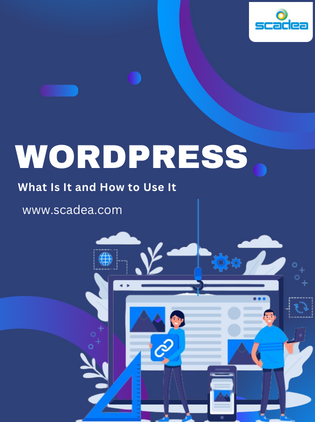
What is WordPress? WordPress is a free, open-source content management system (CMS) for building and managing websites. It powers a large share of all websites on the internet, from personal blogs to enterprise sites and online stores, because it’s flexible, easy to edit and supported by a huge ecosystem of themes, plugins and developers.
WordPress.org vs. WordPress.com
- WordPress.org: the self-hosted software. You choose your hosting and have full control over themes, plugins and code. This is what most businesses use.
- WordPress.com: a hosted service that runs WordPress for you, with plans that limit or unlock features.
Key WordPress concepts
- Posts and pages: posts are dated articles (like a blog); pages are standalone content such as “About” or “Services”.
- Blocks: the block editor builds pages from blocks such as paragraphs, images, buttons and columns.
- Themes: control your site’s design and layout.
- Plugins: add functionality, such as SEO tools, forms, e-commerce or security.
- Media library: stores images, videos and documents.
- Users and roles: control who can write, edit and publish.
How to use WordPress: the basics
- Choose hosting and a domain: pick reliable managed WordPress hosting.
- Install WordPress: most hosts offer one-click installation.
- Choose a theme: a lightweight, block-based theme or a custom theme.
- Create pages: home, about, services, contact and any key landing pages.
- Add essential plugins: SEO, forms, security, backups and caching. Keep plugins to a minimum.
- Set up menus and settings: navigation, permalinks, timezone and reading settings.
- Publish content: write posts and pages with the block editor.
- Maintain: keep core, themes and plugins updated and back up regularly.
What can you build with WordPress?
- Business and corporate websites
- Blogs and content hubs
- Online stores with WooCommerce. See our introduction to WooCommerce.
- Membership and learning sites
- Headless sites, with WordPress as the content back end for a React or Next.js front end
WordPress security and speed tips
- Use strong passwords and two-factor authentication.
- Install only trusted, well-maintained plugins.
- Keep everything updated.
- Use a security plugin or firewall and regular backups.
- Use caching, optimized images and quality hosting for speed.
When to work with a WordPress developer
If you need a custom design, integrations, e-commerce, high performance or ongoing maintenance, a professional developer will save time and avoid problems. Read how to choose a WordPress development company.
How Scadea helps
Scadea builds and maintains custom WordPress and WooCommerce sites for businesses, with clean block-based themes, strong security and fast performance. See our website development services.
Need a WordPress site built or improved? Talk to Scadea’s web team.